
Ai Tattoo ldeas-Art Generator
Leading Software Development StudioArt & Design
4.5350.00 Reviews
- Version
- 1.2.1
- Installs
- 100.00K
- Age Rating
- Everyone
Screenshots
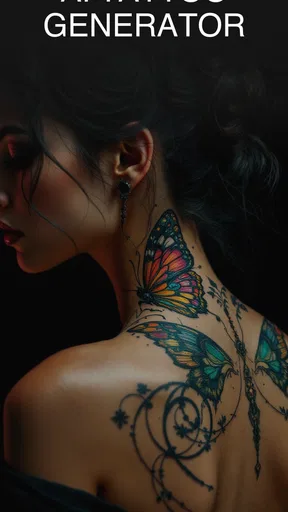
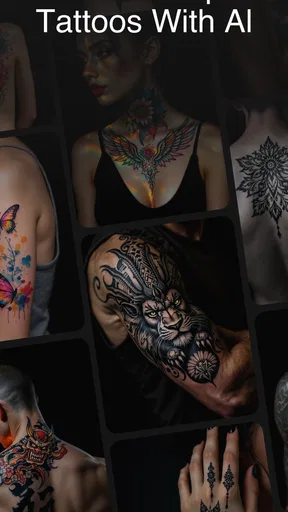
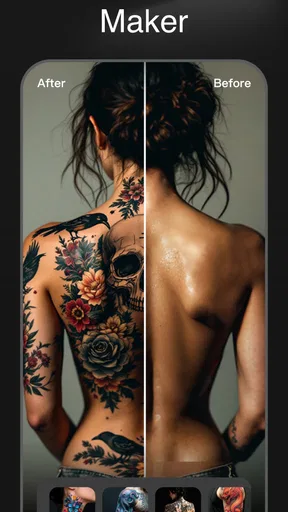
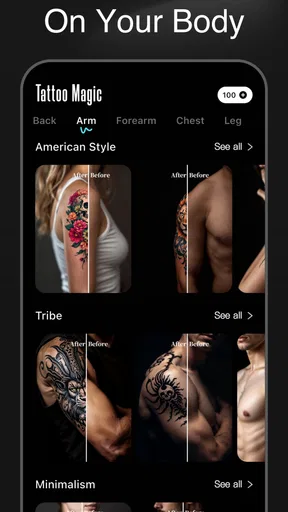
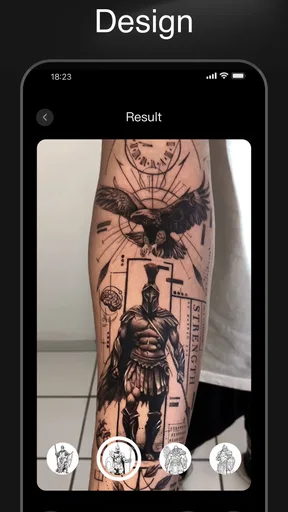
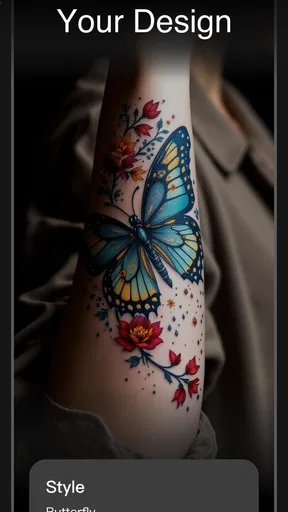
Our Review of Ai Tattoo ldeas-Art Generator
 Analysis by Appyee
I find a tattoo idea is much easier to judge once I can compare a few visual directions instead of trying to explain a half-formed thought from memory. That is the appeal of Ai Tattoo Ideas-Art Generator: it gives you a place to explore possibilities before making a lasting decision. I’d treat it as a sketchbook for inspiration, not as a substitute for a tattoo artist or a final design approval.
A practical starting workflow
My best advice is to begin with a clear, small brief. Choose a subject, a general style, and the body area you’re considering, then look at the results with one question in mind: which parts feel right, and which do not? A broad prompt can produce ideas to browse, but a focused starting point makes it easier to recognize whether you prefer a fine, restrained image or something with more visual weight.
For example, if you’re thinking about a small botanical tattoo, decide whether the important part is the plant’s silhouette, a particular symbolic meaning, or a delicate line-art look. Keep those priorities in view while reviewing options. I wouldn’t select a design just because it looks polished on screen; I’d save the elements that appeal to me and use them to explain my taste later.
Build a useful shortlist, not a final answer
Saving favorites is more useful when you treat the gallery as a comparison board rather than a collection of every design you like. Keep a few candidates that solve the same idea in different ways. One might have a stronger outline, another a better balance of detail, and a third a shape that seems more suitable for the intended placement. Comparing those differences helps turn a vague preference into a conversation you can have with a tattooist.
A helpful habit is to write down what you would change while the image is fresh in your mind. You might like the subject but want fewer decorative details, a less crowded composition, or a different balance between dark and open areas. That note is valuable because an appealing image can be difficult to describe later, especially after you have browsed many alternatives.
Exploring the Creative Features
First off, let’s dive into what makes Ai Tattoo Ideas-Art Generator so intriguing. The app employs advanced AI technology to generate tattoo designs tailored to your preferences. It’s like having a super artistic friend who can sketch out your ideas in seconds. You just input your interests, style preferences, and even the part of the body you're considering for the tattoo, and voilà! You get a selection of designs to ponder.
The interface is incredibly user-friendly. You don’t need a degree in technology to navigate it, which is perfect for those of us who prefer intuitive apps. I found myself effortlessly swiping through various categories like tribal, minimalist, and abstract. The app even lets you save your favorite designs to a personal gallery, making it easy to keep track of potential tattoos.
Personalizing Your Tattoo Journey
One of the standout features is the ability to customize designs further. If you spot a design you like but want to tweak it a bit, the app allows you to adjust elements such as size, color, and detail. This means you’re not just getting a generic design but something that feels uniquely yours.
Additionally, the app includes a virtual try-on feature. This is a game-changer because you can see how different designs look on your skin without the commitment. It’s like playing dress-up but with tattoos. You can even adjust the placement to find the perfect spot for your new ink.
Settings and repeatable habits
When I explore a generator like this, I try to change one part of my brief at a time. If I shift the subject, style, and placement all together, I can’t tell which choice led to a result I prefer. Holding most of the idea steady while testing a different style gives me a more useful comparison than starting from scratch with every attempt.
It also helps to separate “interesting” from “wearable.” An image can be striking in a gallery yet too intricate for the size or location I have in mind. I’d use the try-on view to check the overall silhouette and placement, then look closely at whether small details still read clearly. Treat that preview as a visual aid, not a promise of how healed ink will look on real skin.
Faster ways to refine an idea
If I’m browsing during a spare moment, I don’t try to settle everything at once. I save only designs that have a specific feature worth keeping, then return to compare them when I can focus. This keeps the gallery from becoming a pile of attractive but unrelated images. A quick note beside each favorite—such as “best outline” or “right placement, too busy”—can make a later decision much easier.
For a real-life example, imagine planning a first tattoo during a lunch break. I might use a few minutes to explore a motif, save a small set of promising directions, and stop before the session turns into endless scrolling. Later, I can show the shortlist to a tattoo artist and explain what I like about each one. That is a more productive use of the app than expecting an AI-generated image to be ready for the needle as it appears.
Where the preview and generator have limits
There is an important trade-off with AI imagery: a design can look convincing at a glance without being a practical tattoo stencil. Fine details, lettering, and complicated overlaps deserve special scrutiny, because a screen image does not establish how a design will translate to skin at a particular size. I would ask a professional to redraw or adapt anything I was serious about, especially if the design relies on precise lines or meaningful text.
The virtual placement view is helpful for imagining scale and position, but it cannot account for every real-world factor, such as how a tattoo artist will adapt the artwork to a person’s body. Nor does a preview replace a consultation about technique, color, longevity, or care. If the main thing you need is accurate tattooing advice or a finished custom stencil, talking directly with an experienced artist is the better route.
Who will get the most from it
I think this tool suits curious beginners who want to explore styles before booking a consultation, and experienced tattoo fans who need a quick visual starting point for a new concept. It can also help someone who knows the subject they want but struggles to describe a composition. The ability to compare generated directions and keep favorites makes it easier to arrive at an artist with a clearer brief.
On the other hand, I would skip it if I already had a precise design that only needed professional execution, or if I expected the app to guarantee originality, tattoo suitability, or a perfect match to my skin. People seeking traditional reference research may prefer browsing portfolios by working tattooists, while someone who wants to draw every line themselves may get more control from a dedicated illustration app. Those alternatives serve different needs; this one is best as an idea generator and visual planning aid.
Cost, access, and what to expect
Ai Tattoo Ideas-Art Generator is a free art-and-design app from Leading Software Development Studio. It has an average rating of 4.3 from around 6,200 ratings, with more than 100,000 installs. The age rating is Everyone, and the current version is 1.1.9; it requires Android 8.0 or later. In-app purchases range from $3.99 to $59.99 per item, so I’d check what an optional purchase includes before paying rather than assume every design or capability is free.
That pricing structure is worth considering if you only need a few ideas for one consultation. I’d begin with the free experience, see whether the design exploration fits my process, and decide whether any paid option is worthwhile only after I understand what it offers. If I’m choosing among concepts for a long-term tattoo, the cost of an optional feature is less important than getting a design I can confidently discuss with an artist.
As an app, it is for Android users looking for quick visual experimentation, not a replacement for professional drawing software or a tattoo studio. Its release date was June 7, 2024, and the store summary describes a tattoo-design creator; what matters in practice is whether its generated ideas help you articulate your own preferences. I’d use it on a device that can display images comfortably, since comparing shapes and small details is less useful on a cramped view.
Community inspiration, with a little judgment
Another cool aspect of the app is its community feature. Users can share their designs and get feedback from other tattoo enthusiasts. It’s a supportive space where you can draw inspiration from others and even discover trending designs. Plus, it’s always nice to know you're not alone in your tattoo journey.
I’d use community reactions as a source of perspective, not as a vote that decides what belongs on my body. Other people may respond to the color or subject while missing the personal meaning that matters to me. If a shared design catches my eye, I’d note the element I like and then shape a distinct brief around my own idea rather than treating someone else’s image as a template to copy.
The app also offers educational content for those new to tattoos. You can find tips on aftercare, choosing a tattoo artist, and understanding the symbolism behind different designs. It’s like having a mini tattoo encyclopedia at your fingertips.
Final Thoughts
So, what's the final verdict on Ai Tattoo Ideas-Art Generator? If you’re someone who’s constantly on the lookout for tattoo inspiration or if you just want to experiment with different styles, this app is a must-have. It’s not only a fun tool for design but also a helpful guide through the tattoo process.
While no app can replace the skill and artistry of a professional tattoo artist, this one comes pretty close by offering a canvas for your creativity. Whether you're planning your first tattoo or your next piece, Ai Tattoo Ideas-Art Generator can help you visualize and refine your ideas.
So go ahead, download it, and let your imagination run wild. Who knows, you might just find the perfect design that you’ve been dreaming about.
Verdict
Strengths of Ai Tattoo ldeas-Art Generator
- Generates unique tattoo designs quickly.
- User-friendly interface with intuitive controls.
- Wide variety of styles and themes available.
- High-resolution images suitable for printing.
- Frequent updates with new designs.
Limitations of Ai Tattoo ldeas-Art Generator
- Limited customization options for designs.
- Requires internet connection for full features.
- Some designs can be repetitive.
- In-app purchases for premium content.
- Occasional ads can disrupt experience.
Other Releases by Leading Software Development Studio
View All
Car Editor & Al Car Designer
Auto & Vehicles4.1
Similar Picks in This Category
View All
Canva: AI Photo & Video Editor
Canva4.8

PENUP – Drawing-sharing SNS
Samsung Electronics Co., Ltd.4.5

Crafto
Kutumb App4.6

Sketchbook
Sketchbook4.1

ibis Paint X
ibis inc.4.5

Adobe Express: AI Photo, Video
Adobe4.6
Frequently Asked Questions
What features does the AI Tattoo Ideas-Art Generator offer?
The AI Tattoo Ideas-Art Generator provides users with a wide range of features, including customizable tattoo designs, an AI-driven suggestion tool, and a virtual try-on option that allows users to see how a tattoo would look on their skin. Additionally, the app includes a robust library of styles, from traditional to modern, ensuring a diverse selection to suit any taste.
Is the AI Tattoo Ideas-Art Generator free to use?
The app is available for free download with basic features accessible at no cost. However, it offers premium features and additional design packs through in-app purchases or subscription plans. Users can choose to upgrade for an enhanced experience and access to exclusive content and advanced customization options.
How does the AI technology work in creating tattoo designs?
The app utilizes advanced AI algorithms to generate unique tattoo designs based on user preferences and input. By analyzing trends and user data, the AI recommends personalized designs that align with individual tastes. This technology allows for the creation of innovative and custom tattoos, enhancing the user's creative process.
Can I share my designs with others through the app?
Yes, the AI Tattoo Ideas-Art Generator allows users to share their creations directly from the app. Users can export their designs to social media platforms, or send them via email and messaging apps. This feature enables easy sharing with friends, family, or even tattoo artists for feedback and collaboration.
Is the app suitable for professional tattoo artists?
While the app is primarily designed for general users seeking inspiration, it can also serve as a valuable tool for professional tattoo artists. It provides a vast array of design ideas and customization options, which can be used for client consultations or as a starting point for bespoke designs, making it a versatile resource for professionals.
